Mileage log collection
Get every mileage log in on time, without the chasing
Drivers submit from their phone, and every log arrives ready for you to review. No spreadsheets, no paper forms, nothing to retype.


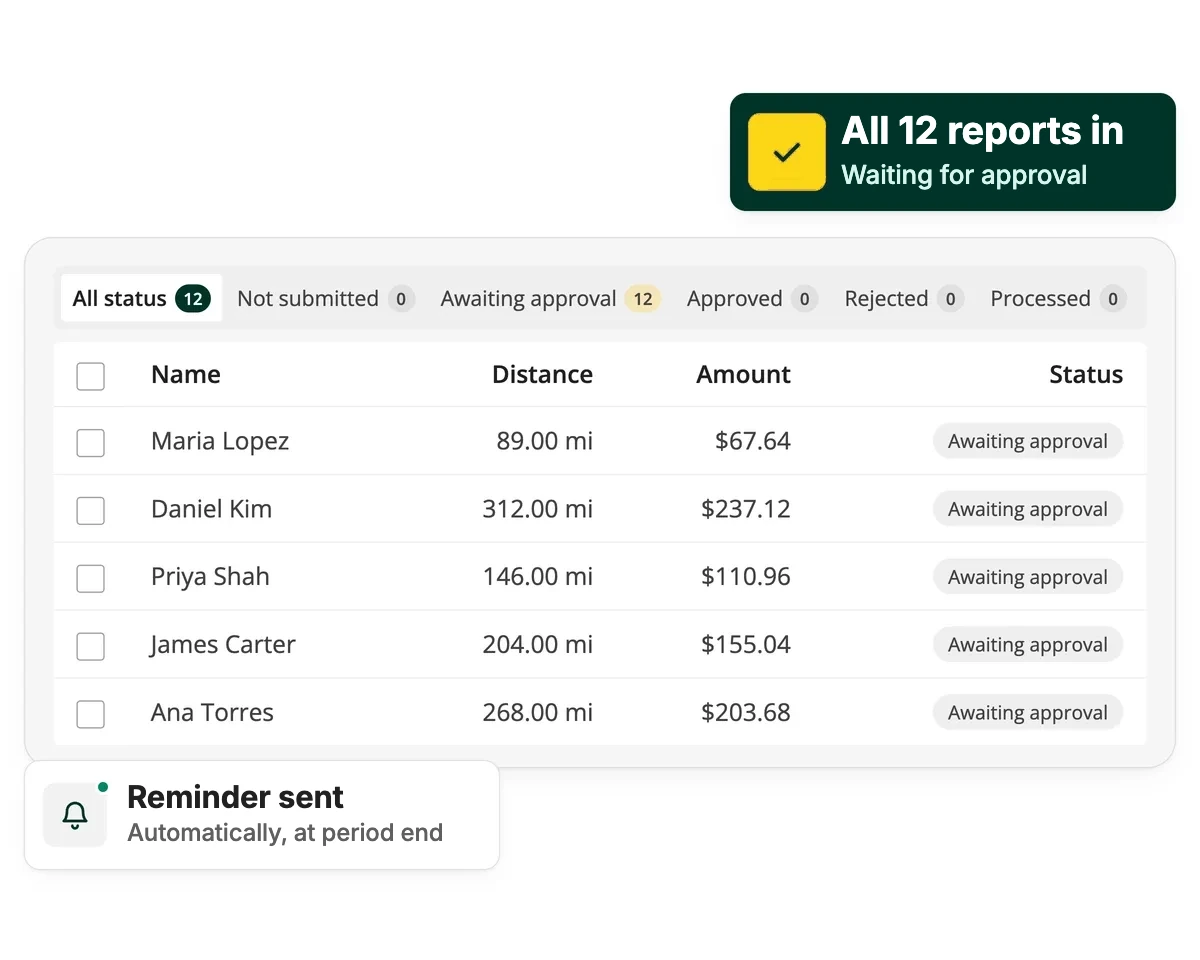
“We used to have employees submit paper mileage forms that we'd manually enter into a spreadsheet one by one. Now we can pull one report for everyone at once, which has cut down our processing time from 30 hours to 1 hour.”

Amanda Ross
Features that take mileage admin off your hands, from deadlines to exports
Friendly reminders, sent for you
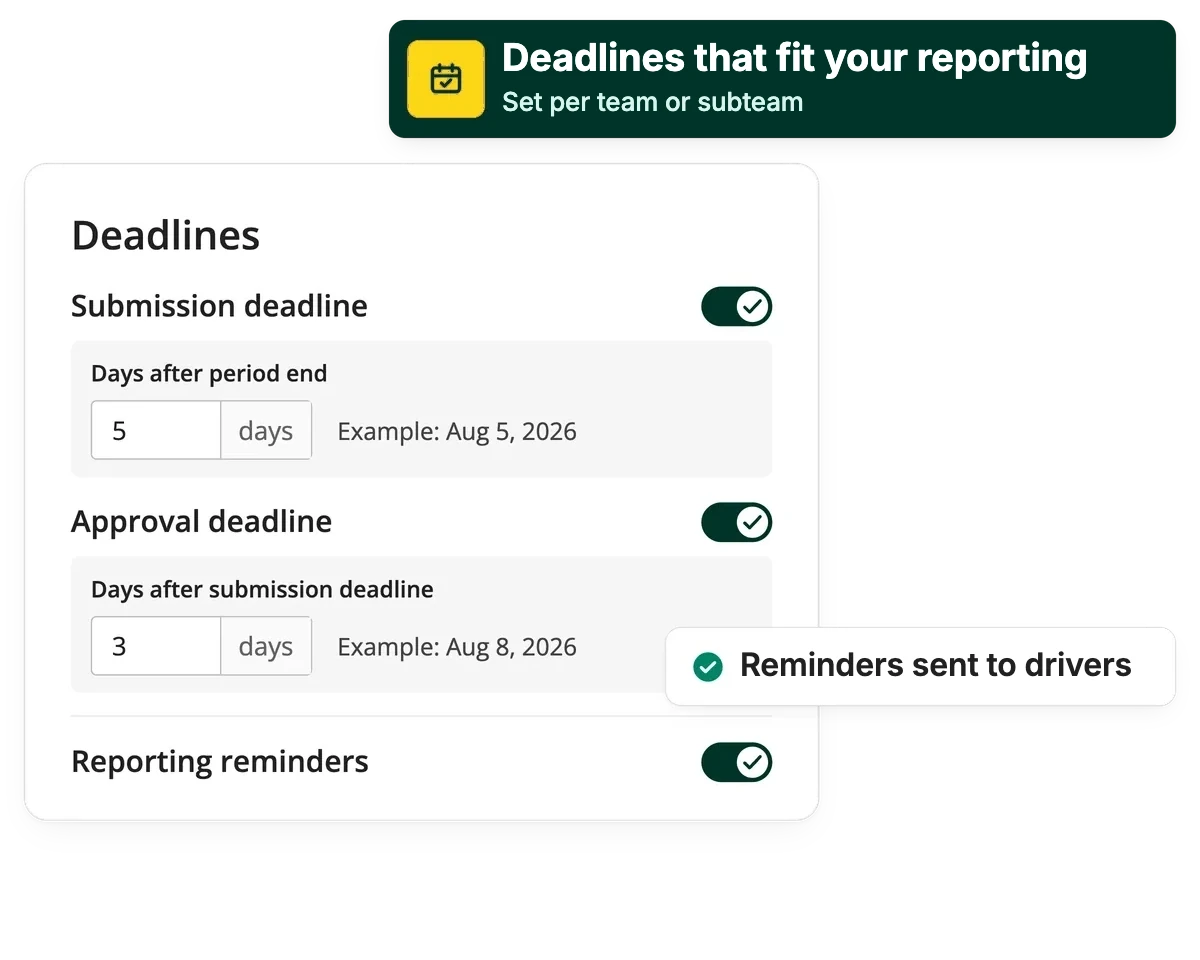
Set a submission deadline, and Driversnote reminds drivers automatically. You don't have to be the one nagging.
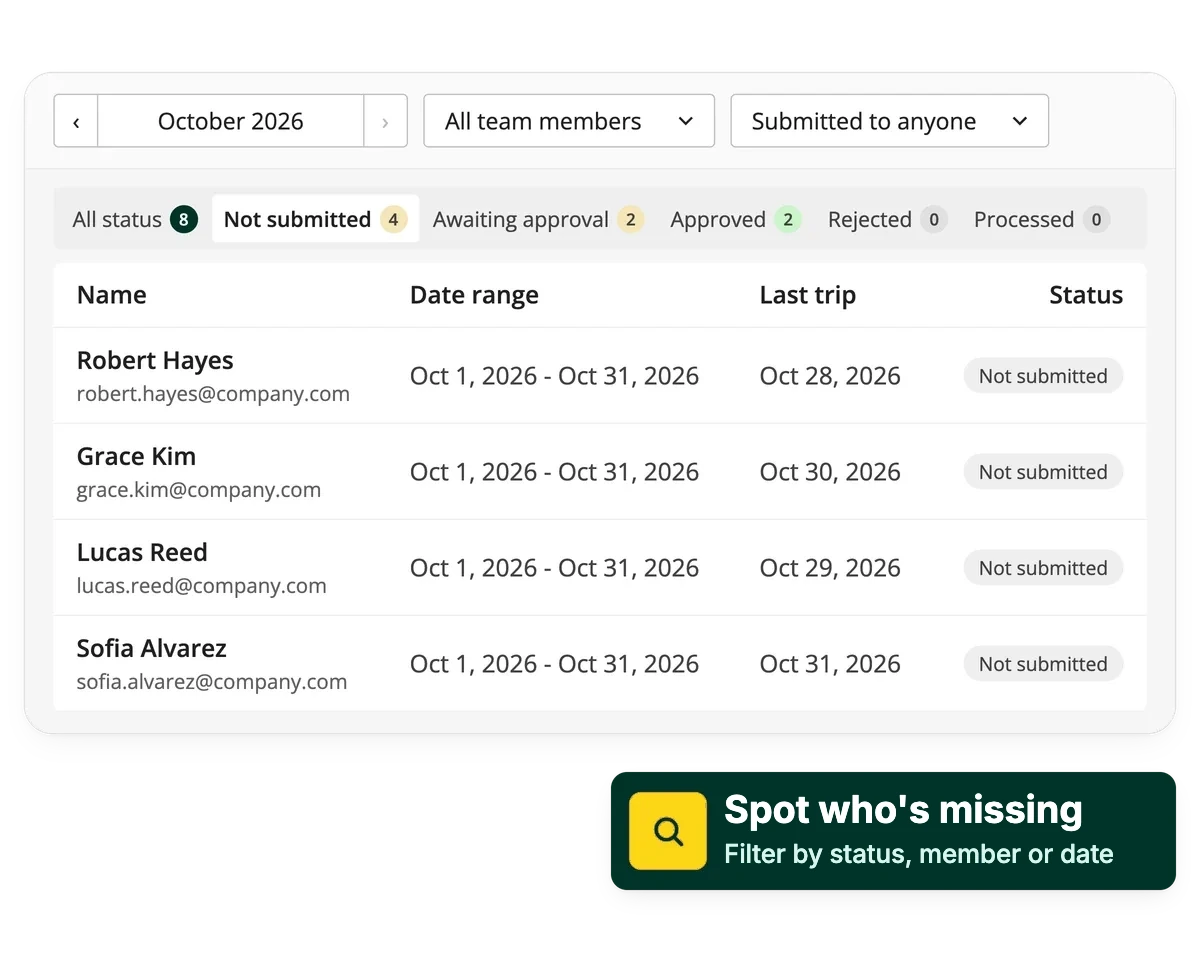
Find any report, and spot any that's missing
Filter by team member, date range, submission target, or status, and see exactly who's submitted and who hasn't.
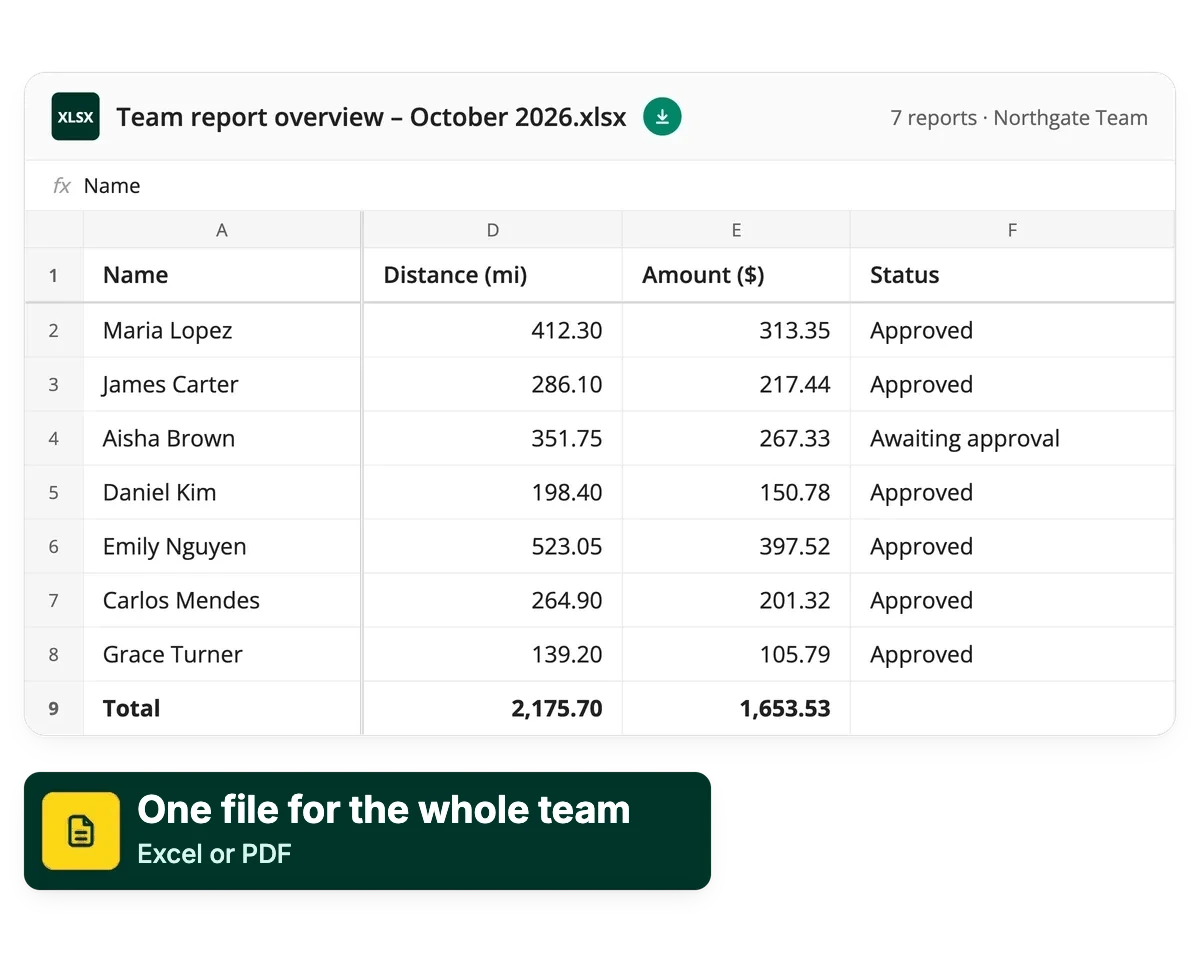
Pull one report for everyone at once
Export one file for the whole team instead of collecting and combining individual reports by hand.
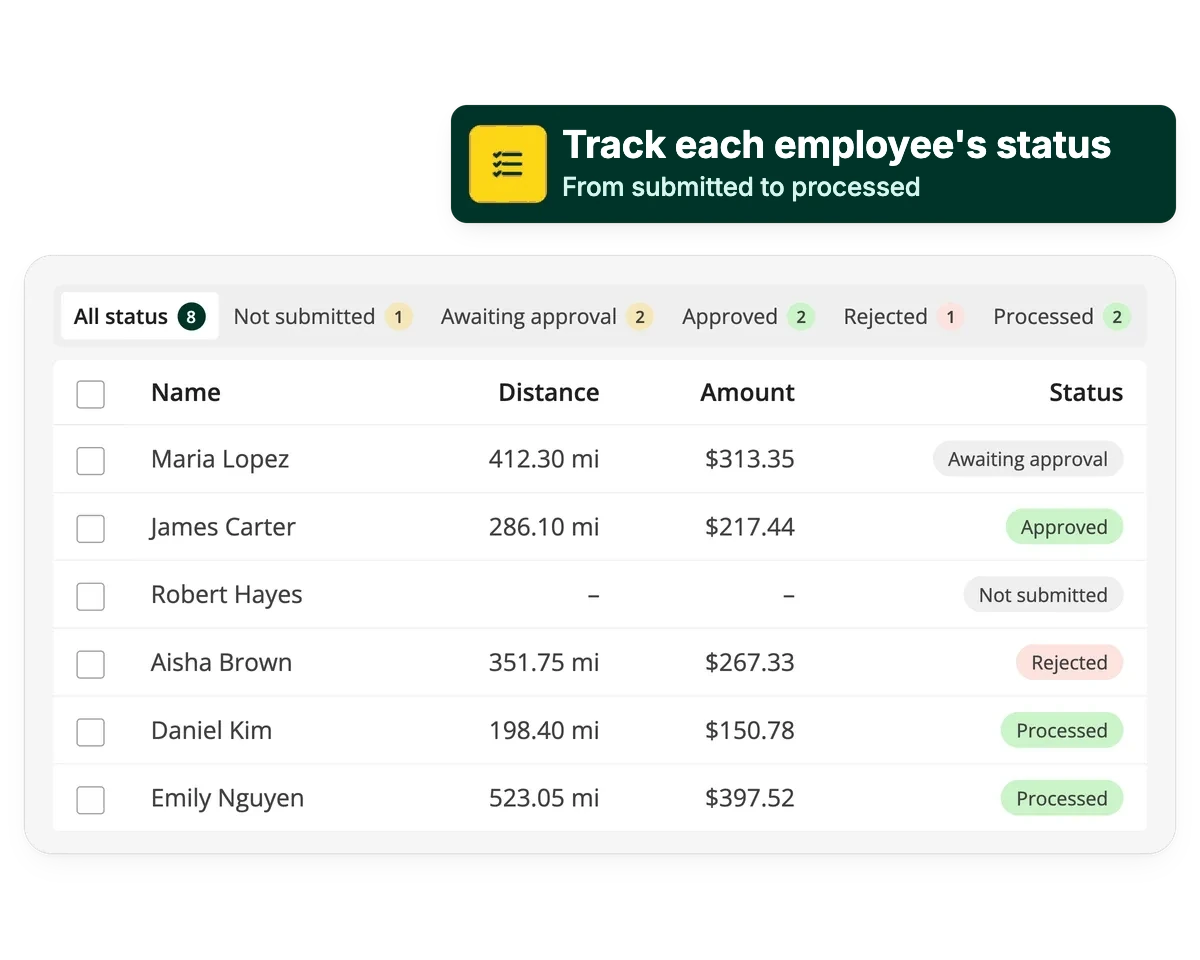
See who has submitted, without asking around
The team reports view puts every driver's report in one place, so you can see where things stand at a glance.
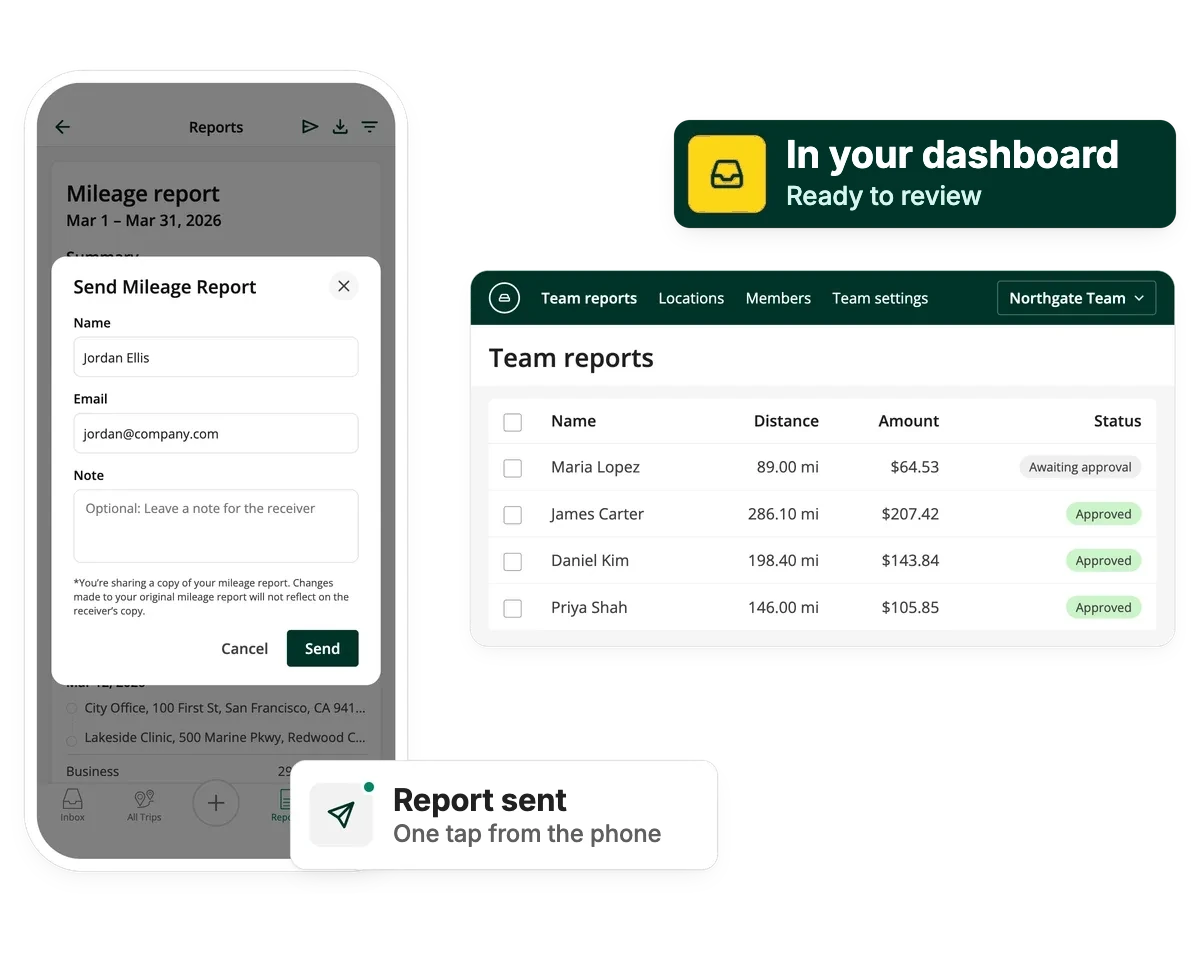
From tap to inbox
Submitting is easy for drivers: one tap on their phone, and no paperwork to fill in.
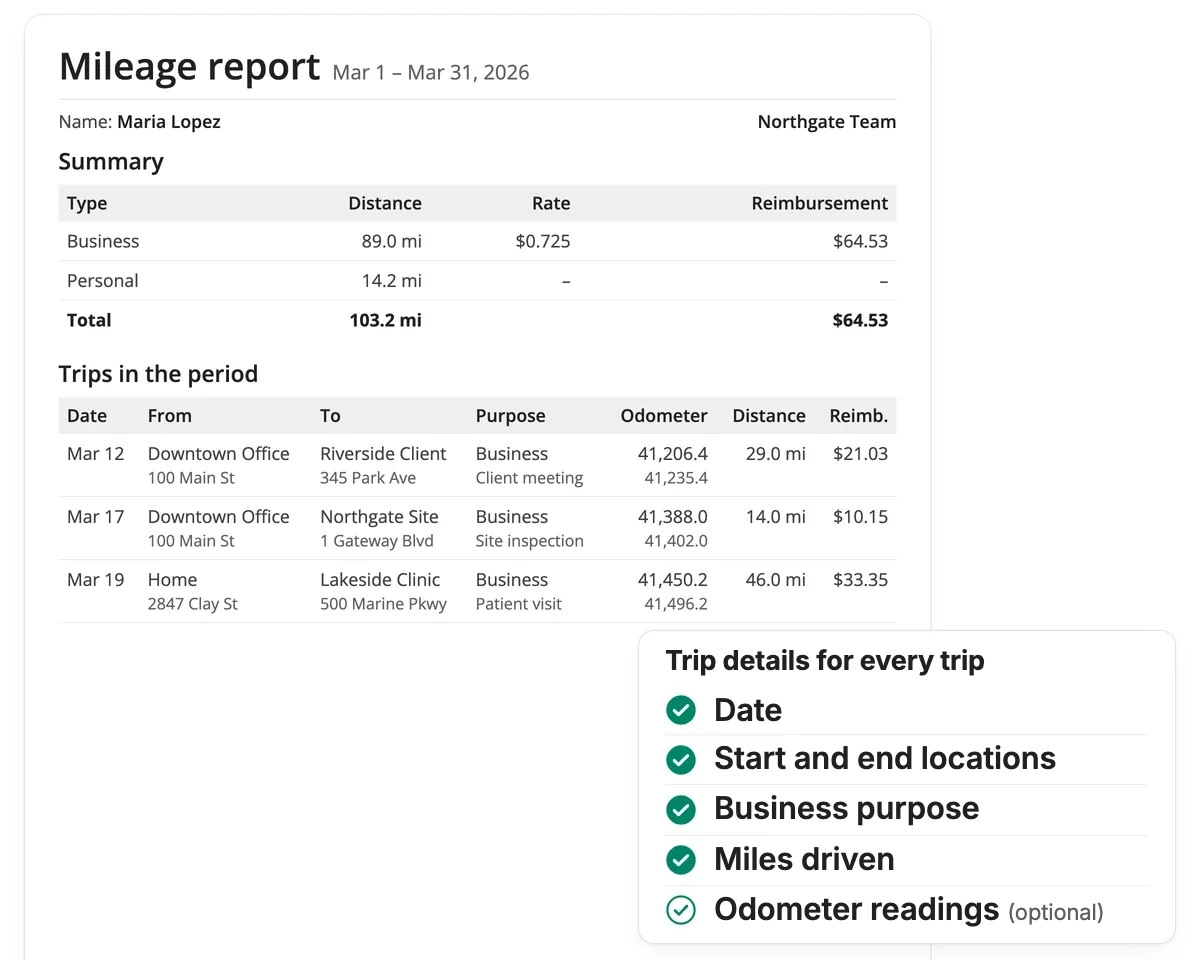
Filled in for you and IRS-compliant
Every submitted log already has what you need for reimbursement, tax deductions and IRS audits, all captured automatically.
Teams that got their time back
One report for every driver, in about an hour
“We used to have employees submit paper mileage forms that we'd manually enter into a spreadsheet one by one. Now we can pull one report for everyone at once.”
Amanda Ross
Far fewer reports that need fixing
“Our old tracking solution was expensive, full of errors, and took forever to review. Driversnote is just an easier way to do it, for me and for our admin team.”
Hanna

Mileage processing in hours, not days
“Any support issues have always been dealt with quickly by a helpful and polite team. I'd recommend it without hesitation.”
Francesca Ruiz
Everything you need to collect mileage logs, in one place
See all features in Plans & Pricing
Manager
Always know where everyone stands
Set a deadline once and Driversnote reminds drivers for you. The team reports view shows who has submitted and who hasn't, and you can filter by team member, date range or status.
Admin
Set it up once, and it applies to everyone
Choose your reporting periods, submission and approval deadlines and mileage rates once, and they apply to everyone from then on. Your team can sign in through your identity provider with single sign-on.
Finance
Reports that arrive ready for payroll and audits
Every report already has the date, purpose, locations, distance and reimbursement amount, plus notes on who was visited and why. You can export one PDF or Excel file for the whole team, or connect your payroll and expense tools through the API.
Guides for managing team mileage

Company Mileage Reimbursement Guide
A good mileage reimbursement program works for your business and your employees. Here's how to set one up.

Mileage Tracking Software vs. Paper Log Book
Switching from paper logs to mileage tracking software saves managers time and keeps mileage claims accurate and compliant.

Manual vs. Automatic Mileage Logs: Which One Holds Up Better for IRS Recordkeeping?
Manual vs. automatic mileage logs: which meets IRS audit standards? Learn how to protect your deductions with stronger documentation.
Frequently Asked Questions
Yes. Set a submission deadline for your team and Driversnote sends automatic reminders to anyone who hasn't submitted yet, so you don't have to chase them manually.
Yes. Instead of collecting and combining individual reports by hand, you can pull one consolidated export (PDF or Excel) for your whole team at once.
Yes. You set a submission deadline for drivers and an approval deadline for managers, and Driversnote sends reminders for both.
Weekly, monthly, or on a custom cycle. Set the reporting period once and it applies going forward.
Yes. Use the standard rate for your country, set a custom rate, or turn off reimbursement entirely.
Yes, on the Teams+ plan. Your team can sign in through your identity provider via SAML.