Mileage tracking for healthcare
Less time on mileage, more time with patients
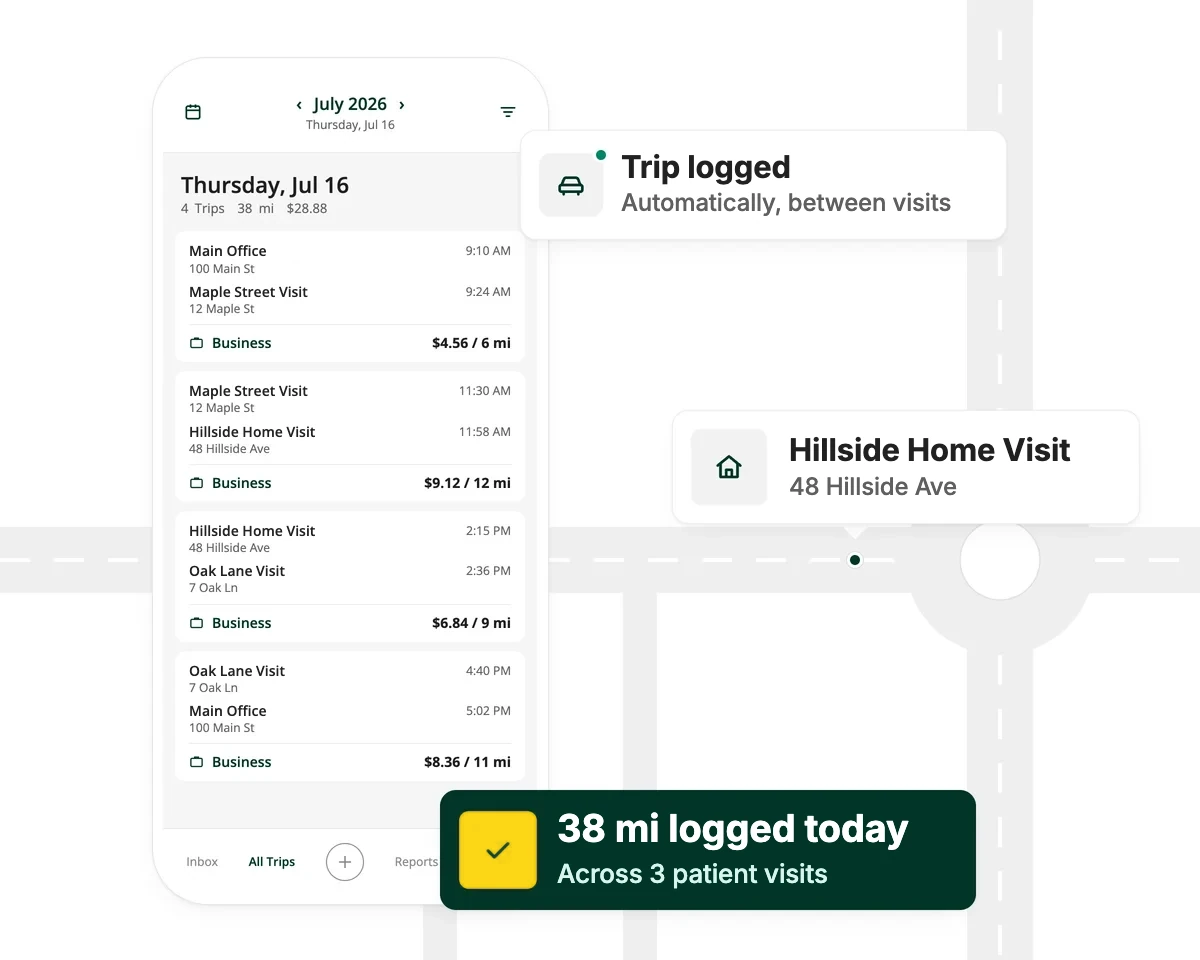
Driversnote logs every trip between patient visits automatically, so your team is paid for every mile and your office gets one clean report each pay period.
“Before Driversnote, there was never one single period of accurate reporting and timely submissions. Now we can approve over 150 reports in a day, compared to the usual 40 before.”

Linda Jada
How Driversnote works for healthcare
Drive to your visits
Trips log themselves in the background, with motion detection or an iBeacon in the car. Nothing to start, stop or remember between patients.
Submit at the end of the pay period
Tap to mark each trip as business or private and add a note or tag. Your log is ready to submit whenever your agency asks for it.
Approve and reimburse
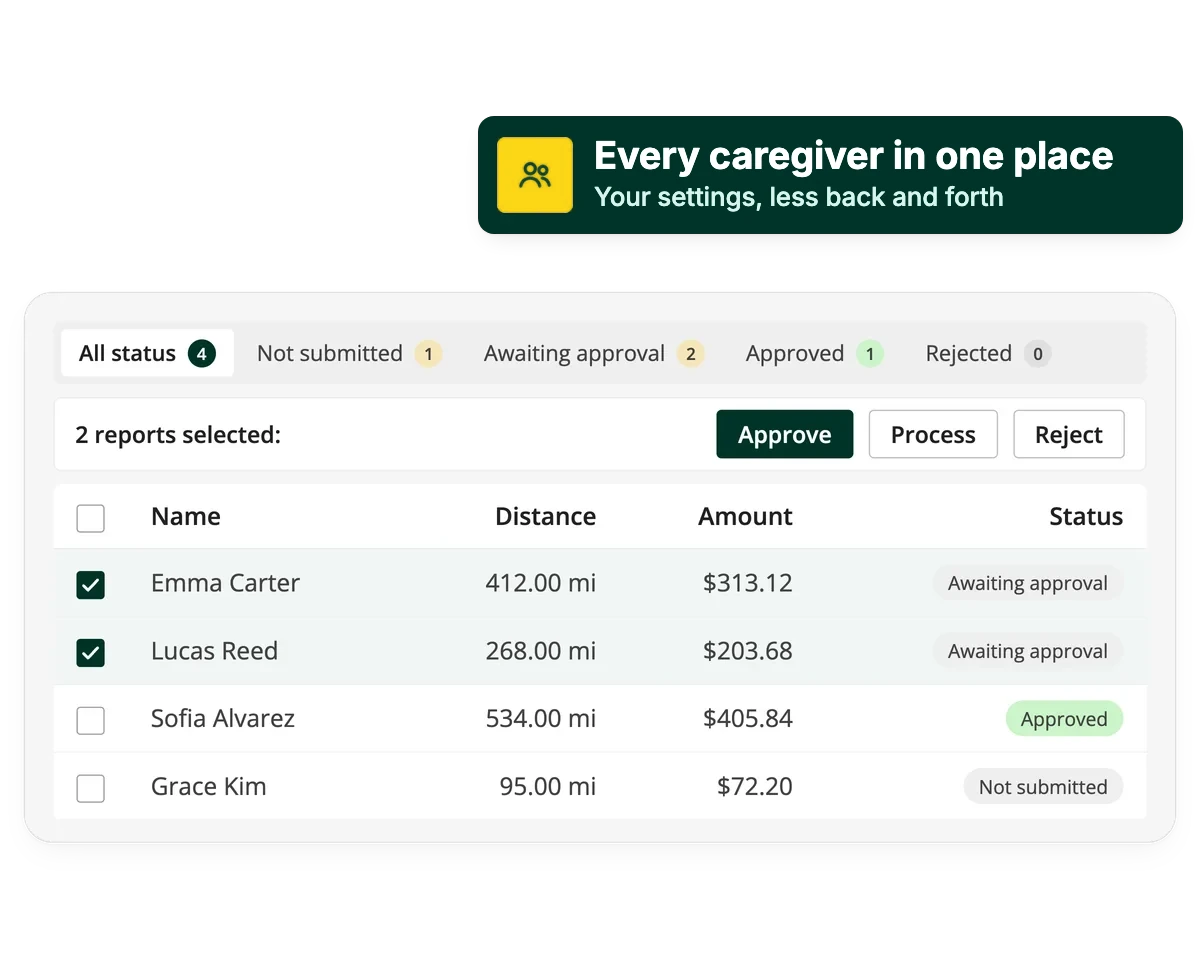
See every report in one place, approve or reject it, and know where each log stands. Need a file? Export PDF or Excel at the IRS rate or your own.
Healthcare on Driversnote
Source: Driversnote Internal Data 2026
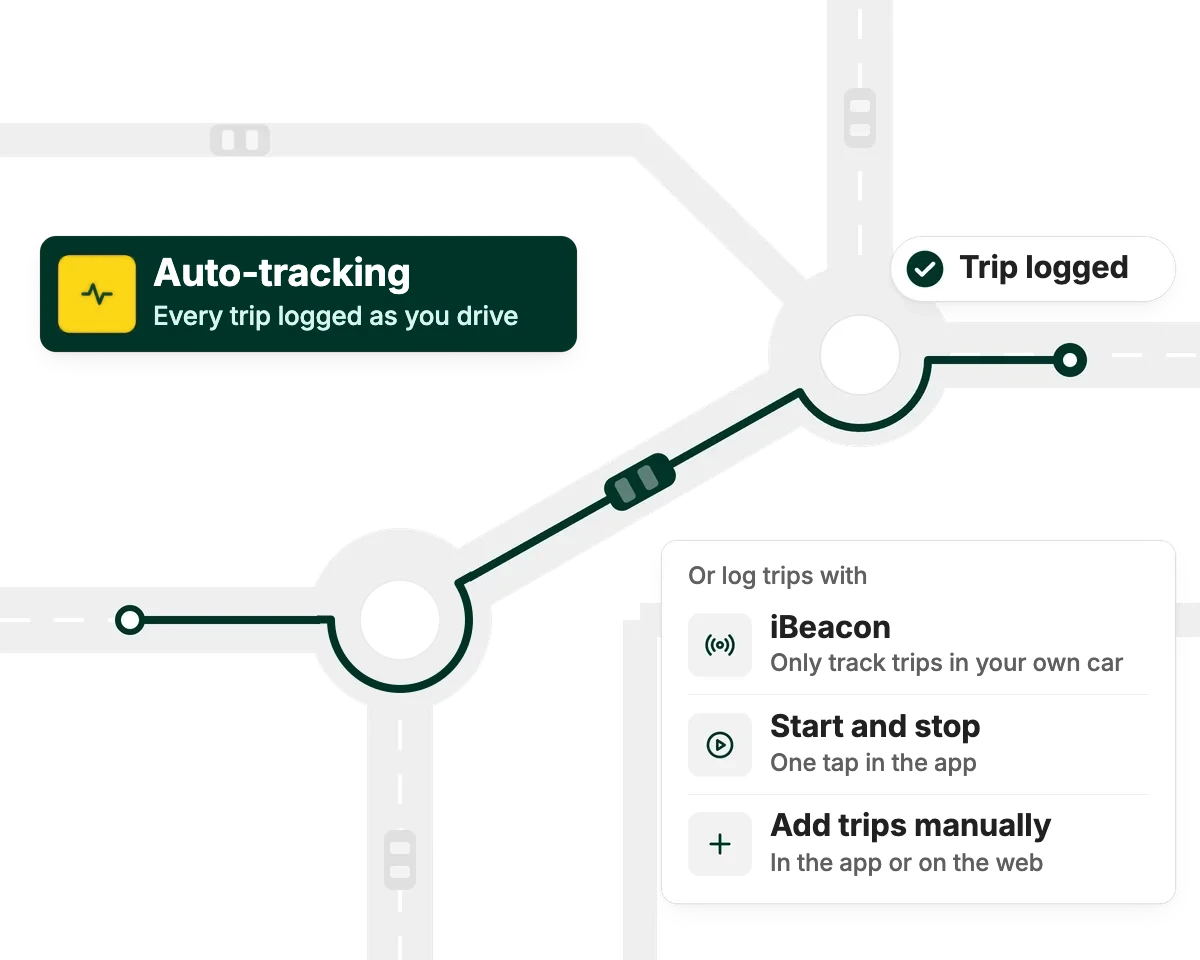
Auto-track or add trips manually
Built for a day of home visits
A day of home visits is short drive after short drive, and those are the trips that get forgotten. Driversnote can pick up each one automatically on iPhone or Android, so nothing slips through between patients. Forbes named it the best mileage tracker for ease of use.
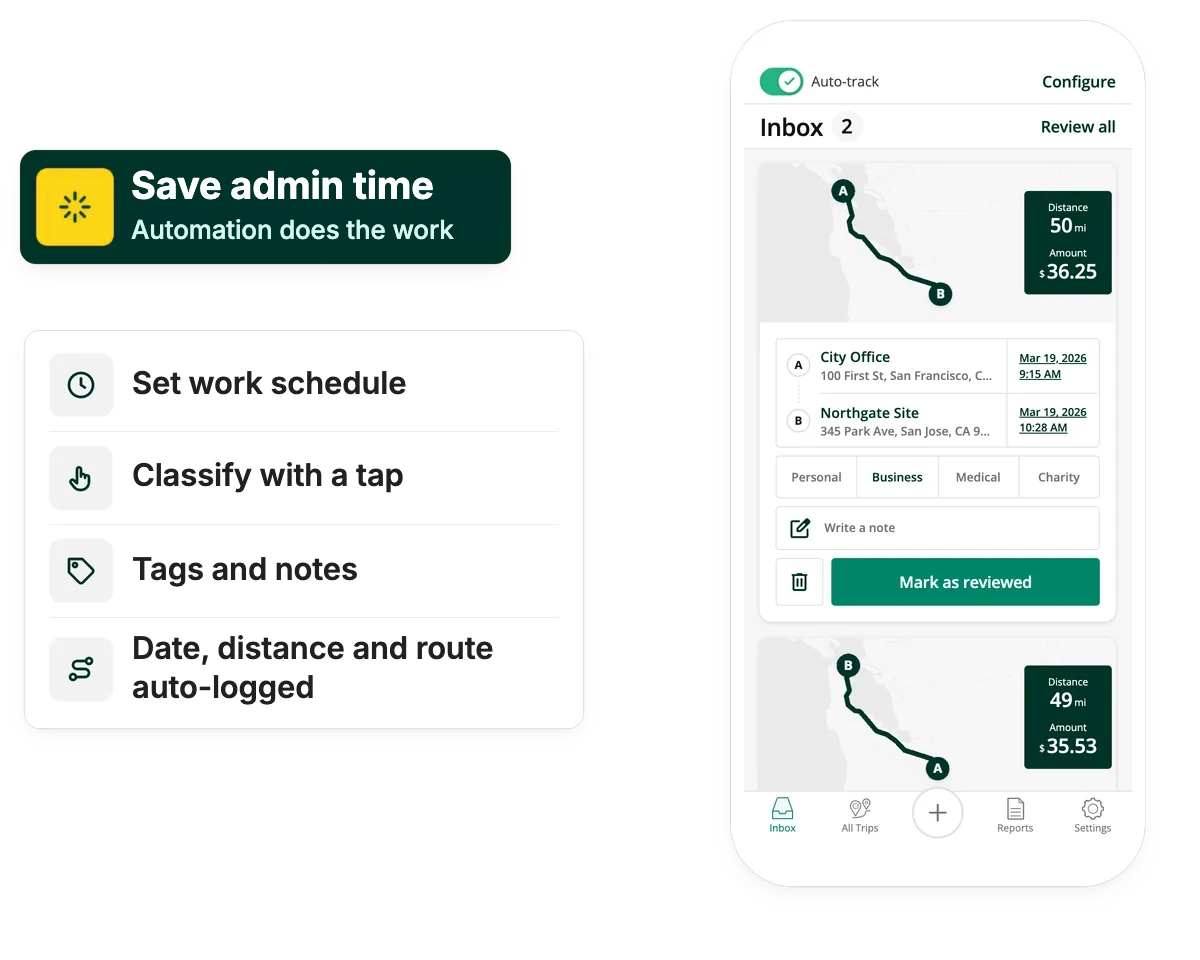
Classify with a tap
Keep business and private miles apart
One tap sorts a trip into business or private. Driversnote builds an IRS-ready record with date, distance, purpose and route, for reimbursement or a tax deduction. Drive more than one car, or work for more than one agency? Keep them all on one account.
For home health, hospice and care agencies
Works for teams too
Stop chasing paper logs. Everyone submits one report per pay period, reminders keep them on time, and you review the whole team in one place. Records stay organized for audits and cost reports.
Privacy and security
Mileage records, not patient records
Driversnote tracks trips, not care. Staff classify each trip and can add a tag or a short note, so nobody needs to type a patient's name into the app. Your data is encrypted and hosted on Google Cloud, and a data processing agreement is part of every team's terms.
One app for everyone who touches the mileage
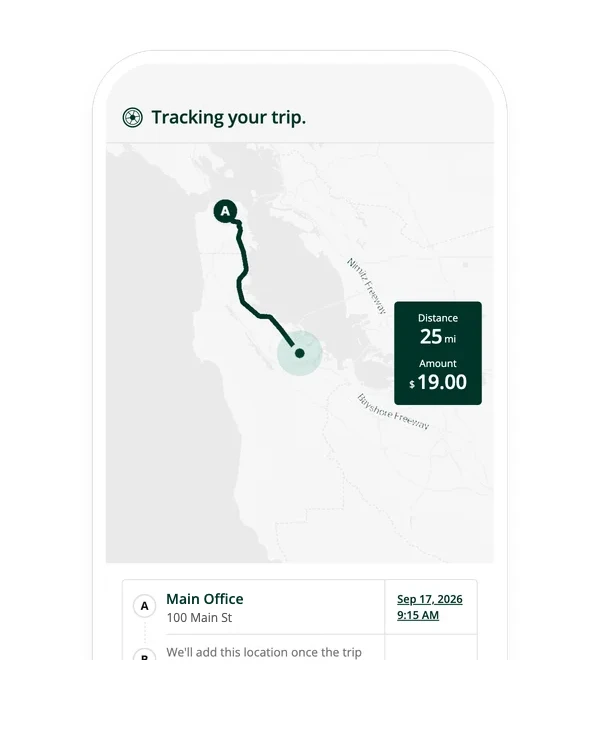
Drive to your patients. That's it.
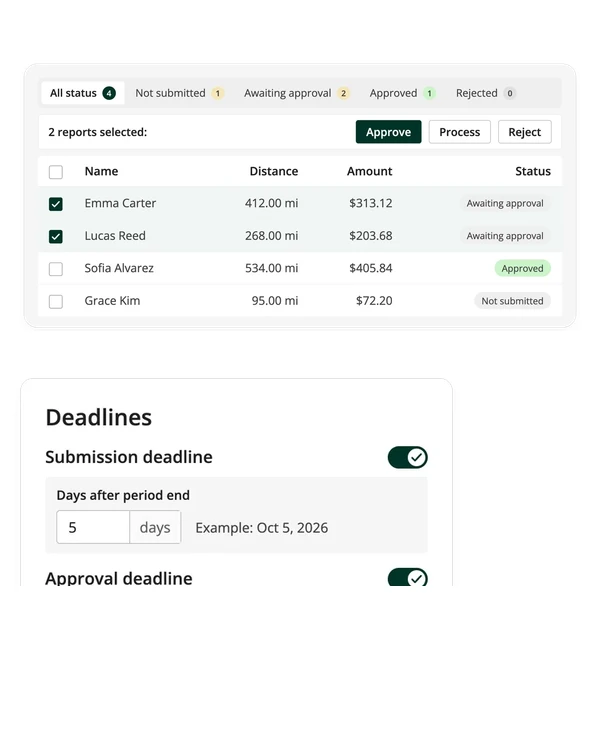
Every report in, on time
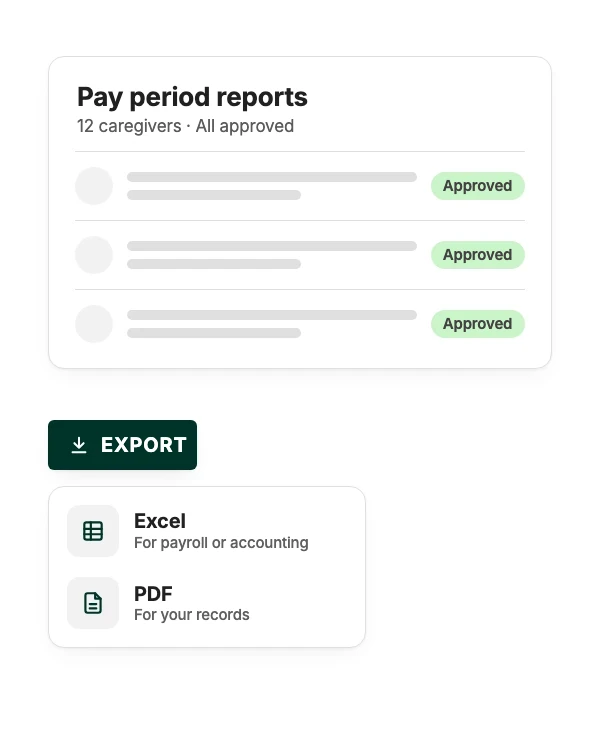
Records that hold up
Flexible plans and pricing
A plan for every caregiver and agency
Driving solo and only a few trips a month? Start free and upgrade when you need more. Agencies can add their whole care team and manage reports in one place.
See all features and plansFind the plan that keeps up with you
Answer a few questions and we'll point you to the right plan.
Who's doing the driving?
How many work trips do you drive in a typical month?
What would be useful to you? Pick any, or skip
Made for caregivers, office admins and finance
For caregivers and clinicians
Drive, don't log
Trips record themselves between visits. Tap to classify and submit once per pay period. It only takes a few seconds.
For office admins
One place for every report
Set reporting periods, send reminders and approve the whole team's mileage in one sitting. Pay at the IRS rate, a custom rate or no rate at all. Manual trips are flagged for a closer look.
For owners and finance
One bill, every location
Run the whole organization from one account, with centralized billing and a subteam for each location or department. You only pay for your drivers, and complete records are there when an audit or cost report comes around.


Mileage tracking for healthcare: your questions
There's no single federal rule requiring it, but under federal law, vehicle costs employees cover for work can't push their pay below minimum wage. Several states, including California and Illinois, require employers to reimburse necessary work expenses. Check the rules in your state.
Yes. The US Department of Labor counts travel between clients during the workday as hours worked for home care workers employed by agencies.
The current IRS standard mileage rate by default, updated whenever the IRS changes it, even mid-year. Agencies can also set their own custom rate.
No. Staff classify trips and can add a tag or a short note, so nobody needs to type a patient's name. Like any mileage log, each trip records its start and end location, so agree on what goes into notes.
No. Electronic Visit Verification records that a visit took place. Driversnote records the miles driven between visits, so you can reimburse staff accurately. Many agencies use both.
Yes. Once the app is installed, trips log automatically. Caregivers only tap each trip as business or private and submit at the end of the period. An iBeacon in the car makes it fully hands-off.
Yes. Download approved reports as PDF or Excel to share with your payroll team or accountant.
Give your care team their evenings back
Healthcare drivers on Driversnote log nearly 400 business miles a month each, all tracked automatically.
More stories from care teams

Nearly four times as many reports approved a day
“It's simple to use, and when even one administrative task is made easier, the rest of the workload becomes more manageable.”
Linda Jada

Every nurse's mileage, approved in one place
“It was a no-brainer we needed a digital tool like Driversnote to handle mileage.”
Zara Lord

Mileage processing in hours, not days
“It's saved us days of admin and made life easier for everyone, drivers included.”
Francesca Ruiz